Rooting a VMC2040 security camera part 6: What did work
Brief
In this part I will show how I finally got root access to the camera.
The other parts of the series are:
What about those symlinks in /config?
startSPARROW creates three symlinks that points to an executable binary in the rootfs:
1   ln -s /sdk/config_tool /config/config_tool
2   ln -s /sdk/config_tool /config/dump_config
3   ln -s /sdk/config_tool /config/dump_mmap
But from where are those actually called?
I searched every script and binary in the rootfs for anything that executes these paths. The only hits were the startSPARROW script itself (just creating the symlinks) and one unexpected place: /sdk/modules/4.9.84/mi_sys.ko.
mi_sys.ko is one of those modules that is probed during boot. When using string on mi_sys.ko, I see this cluster of strings:
/config
/config_tool
/load_mmap
/mmap.ini
MI_SYSCFG_SetupMmapLoader default_config_path:%s, argv1:%s, argv2:%s
HOME=/
TERM=linux
PATH=/sbin:/usr/sbin:/bin:/usr/bin
LD_LIBRARY_PATH=/lib
This looks much like a call_usermodehelper call to me, and indeed, call_usermodehelper it is in the symbol table:
readelf  -s mi_sys.ko  | grep call_usermodehelper
  2399: 00000000     0 NOTYPE  GLOBAL DEFAULT  UND call_usermodehelper
call_usermodehelper is the Linux kernel API for spawning a userspace process directly from kernel space. It is usually used by things like hotplug and firmware loading. Here the kernel module probably uses it to run /config/config_tool with the load_mmap subcommand and /config/mmap.ini as its config file.
The call is probably something like this:
 1   static char * envp[] = {
 2       "HOME=/",
 3       "TERM=linux",
 4       "PATH=/sbin:/usr/sbin:/bin:/usr/bin",
 5       "LD_LIBRARY_PATH=/lib",
 6       NULL
 7   };
 8   static char * argv[] = {
 9       "/config/config_tool",
10       "/config/load_mmap",
11       "/config/mmap.ini",
12       NULL
13   };
14   call_usermodehelper("/config/config_tool", argv, envp, UMH_NO_WAIT);
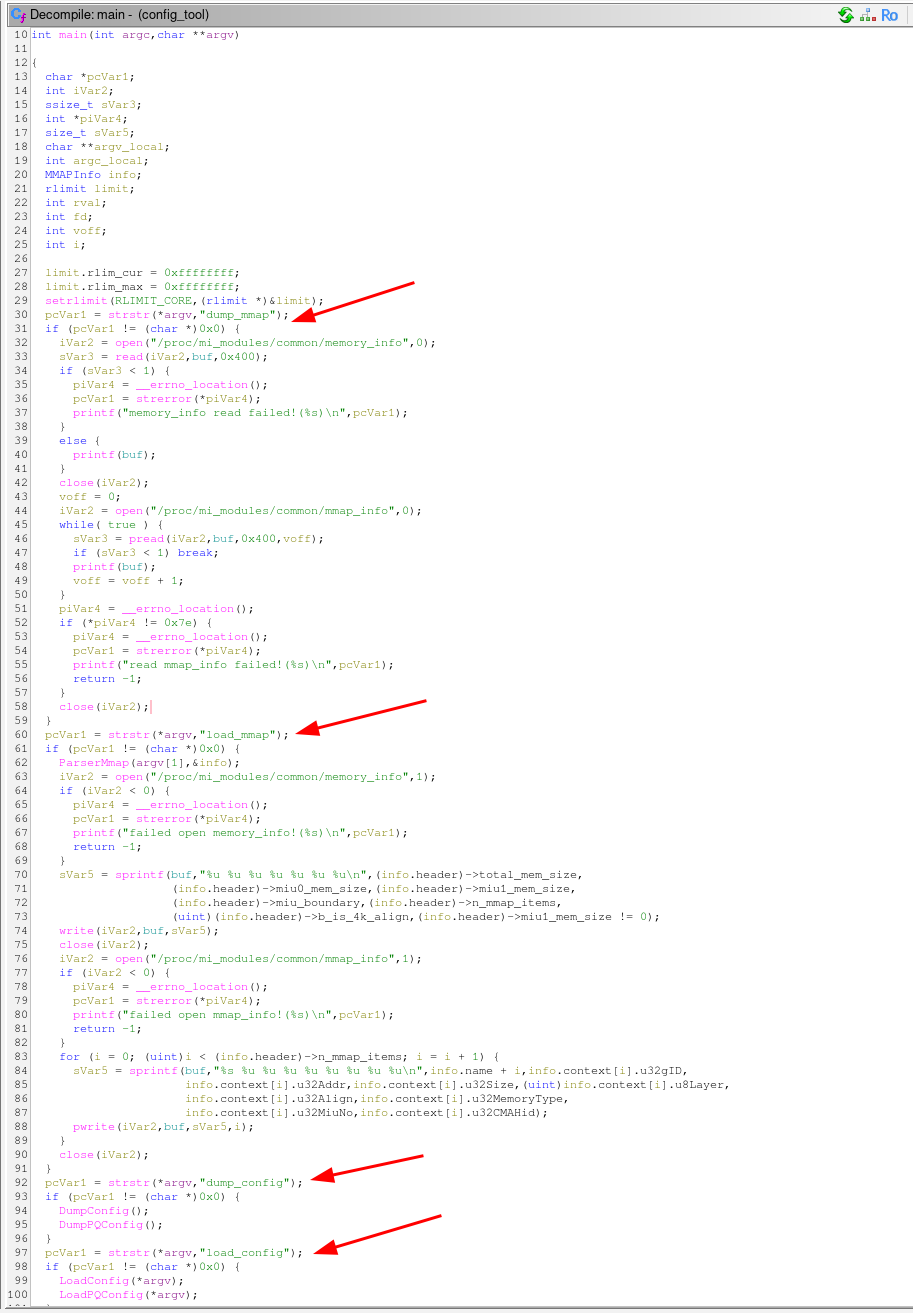
I used Ghidra to decompile the config_tool binary and confirmed that it runs in different modes depending on the name of the symlink.
Replace config_tool
So, the next step is to replace the /config/config_tool binary with something that gives us a root shell. In the "Developer" mode, the startSPARROW starts a telnetd server, so that could be a good start.
But where is telnetd?
The telnetd symlink is removed from the production image, but it appearently use the same busybox binary as it still contains the telnetd applet:
1	$ strings busybox  | grep telnetd
2	telnetd
Our own config_tool
I wrote a simple C program that forks, the child becomes a detached telnetd daemon and the parent execs the real config_tool to keep the boot sequence happy. The child process redirects stdio to /dev/null so it doesn't interfere with anything.
 1	#include <unistd.h>
 2	#include <fcntl.h>
 3	#include <sys/types.h>
 4
 5	int main(int argc, char *argv[])
 6	{
 7	    pid_t pid = fork();
 8
 9	    if (pid == 0) {
10		/* child become a detached telnetd daemon */
11		setsid();   /* new session, detach from any controlling terminal */
12
13		/* redirect stdio to /dev/null so it doesn't interfere with anything */
14		int fd = open("/dev/null", O_RDWR);
15		if (fd >= 0) {
16		    dup2(fd, 0);
17		    dup2(fd, 1);
18		    dup2(fd, 2);
19		    if (fd > 2) close(fd);
20		}
21
22		/* busybox telnetd: -l /bin/sh gives a root shell without a password prompt */
23		char *telnetd_argv[] = { "busybox", "telnetd", "-l", "/bin/sh", NULL };
24		execv("/bin/busybox", telnetd_argv);
25		_exit(1);
26	    }
27
28	    /* ── parent: exec the real config_tool as fast as possible ──
29	     *
30	     * argv[0] is already "/config/config_tool" (set by call_usermodehelper),
31	     * so we pass argv unchanged.
32	     */
33	    execv("/sdk/config_tool", argv);
34
35	    /* should never be reached */
36	    return 1;
37	}
I took a toolchain from ARM [1] and compiled it with:
1	CC=.../arm-gnu-toolchain-15.2.rel1-x86_64-arm-none-linux-gnueabihf/bin/arm-none-linux-gnueabihf-gcc
2	$CC -static -Os -o myhack myhack.c
It is important to compile it as a static binary because the dynamic linker and libraries are in the read-only rootfs, and we don't want to mess with those. A static binary will include everything it needs to run without relying on external libraries nor the dynamic linker.
I made the /config/config_tool symlink point to my own binary on the UBI volume:
1 ln -sf /config/myhack /config/config_toolAnd rebooted the camera.
Root access
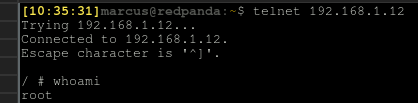
Finally! After the camera booted up, I could connect to it with telnet and got a root shell:
Take it further
Telnet is not the most secure way to access a shell, a better way would be to use SSH, but we still don't know the root password. Instead of starting telnetd, we could do other things in the child process, e.g. bind mount a custom /etc with a modified /etc/passwd file:
1 mount -o bind /config/myrootfs/etc /etcAnd start the dropbear SSH server:
1 dropbear
And there we go.
Summary
Finally root access. In Part7 I will give some thoughts about the security of the camera and what to do to prevent this kind of attack.