The Shelf - a searchable index of my board games
We have a shelf in the living room that is full of board games. The number of board games is growing for every month and has done so for the last couple of years.
This has not always been the case. Actually, it took me 35 years to stop hating board games and start enjoying them. As I, like most of you probably, have a history of Monopoly, Risk and other horrible, horrible lucky based games that just drain the life out of you. Really, I hated board games.
So, for 35 years I didn't touch any other board games but chess. Then I, somehow, played a couple of games I really enjoyed (Nemesis, Gloomhaven) and now I'm totally hooked.
Now we even have a play group that meets every Monday. But every Monday is the same question: what are we going to play tonight?.
So I (well, Claude) built a tool to answer that question.
The Shelf
The Shelf is a catalogue of the games we own, and it is searchable(!).
It easy to find a game given criterias such as: I want to play a game that takes about an hour and a half, for five players, that is not too complex.
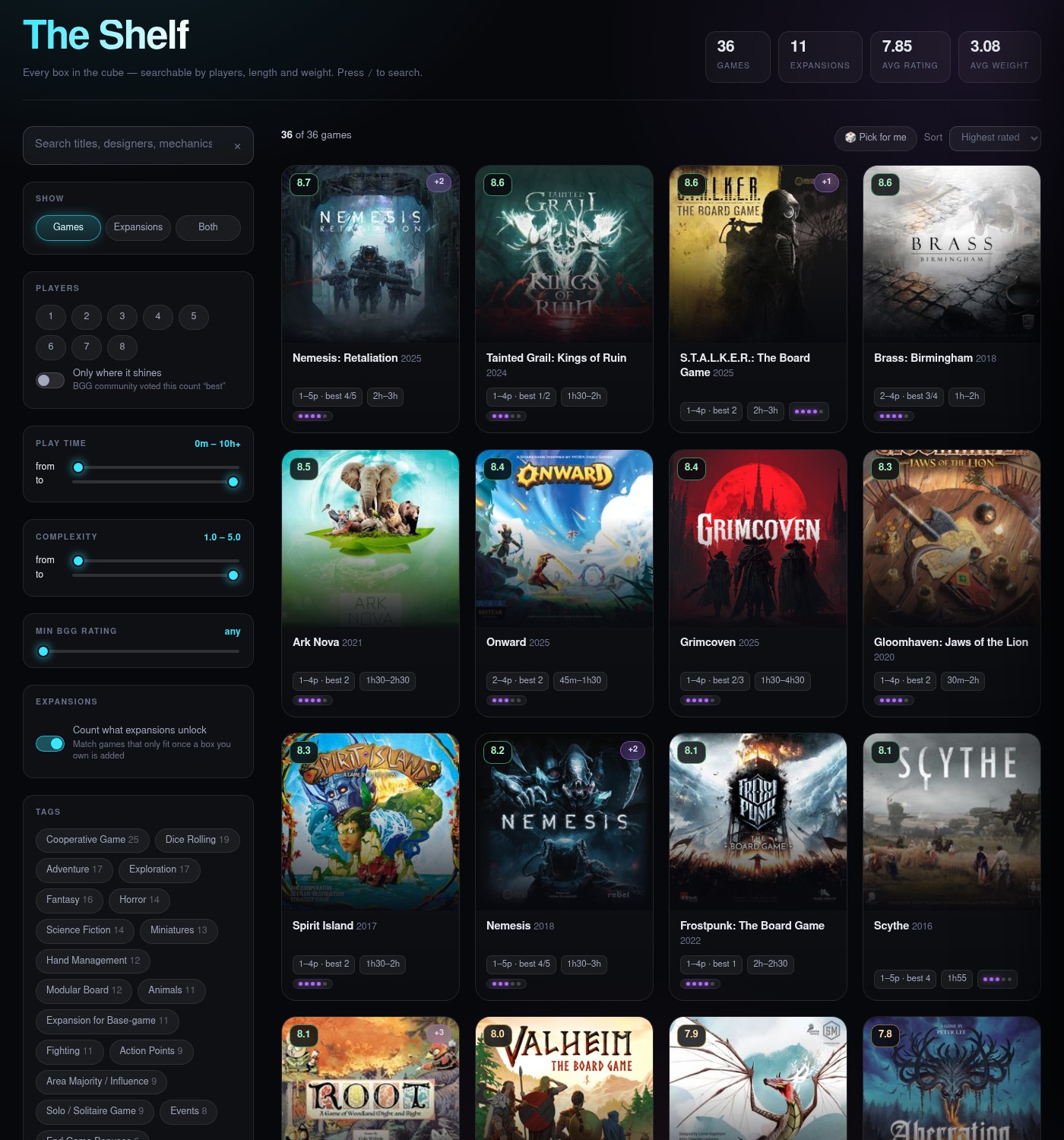
The state lives in the URL, so a filtered view is a link you can send to somebody.
BoardGameGeek [3] is the source for pretty much all the data. The data is fetched and stored locally.
A static site on purpose
Static sites are great.
They are fast, they are easy to maintain and they are easy to deploy. No database, no servers, no login and admin panel that can be hacked. Even this site is static for the very same reasons [4].
As there is no admin panel to control the content, the site is administrated from the command line with a Python script (scripts/collection.py). It can add a game, remove a game, refresh the data from BoardGameGeek and a few more operations.
See the repository [2] for more information about the script and how to use it.
Want to build your own shelf?
1git clone https://github.com/marcusfolkesson/the-shelf.git && cd the-shelfAnd there you have it ready to be deployed with my collection. We probably don't own the same games, so start with resetting the collection:
1python3 scripts/collection.py reset --yes --purge-cache --purge-coversLook up your games on BoardGameGeek and add them to the collection. E.g. You find Nemesis on this URL: https://boardgamegeek.com/boardgame/167355/nemesis.
Take the board game ID (167355 in this case) and add it to the collection:
1python3 scripts/collection.py add 224517It will automatically fetch the data from BoardGameGeek and add it to the collection. It will also download the cover image and store it in the covers directory.
Continue adding all your games and when you are done - it is ready to be deployed.
A demo
The site is live at my website [1].